
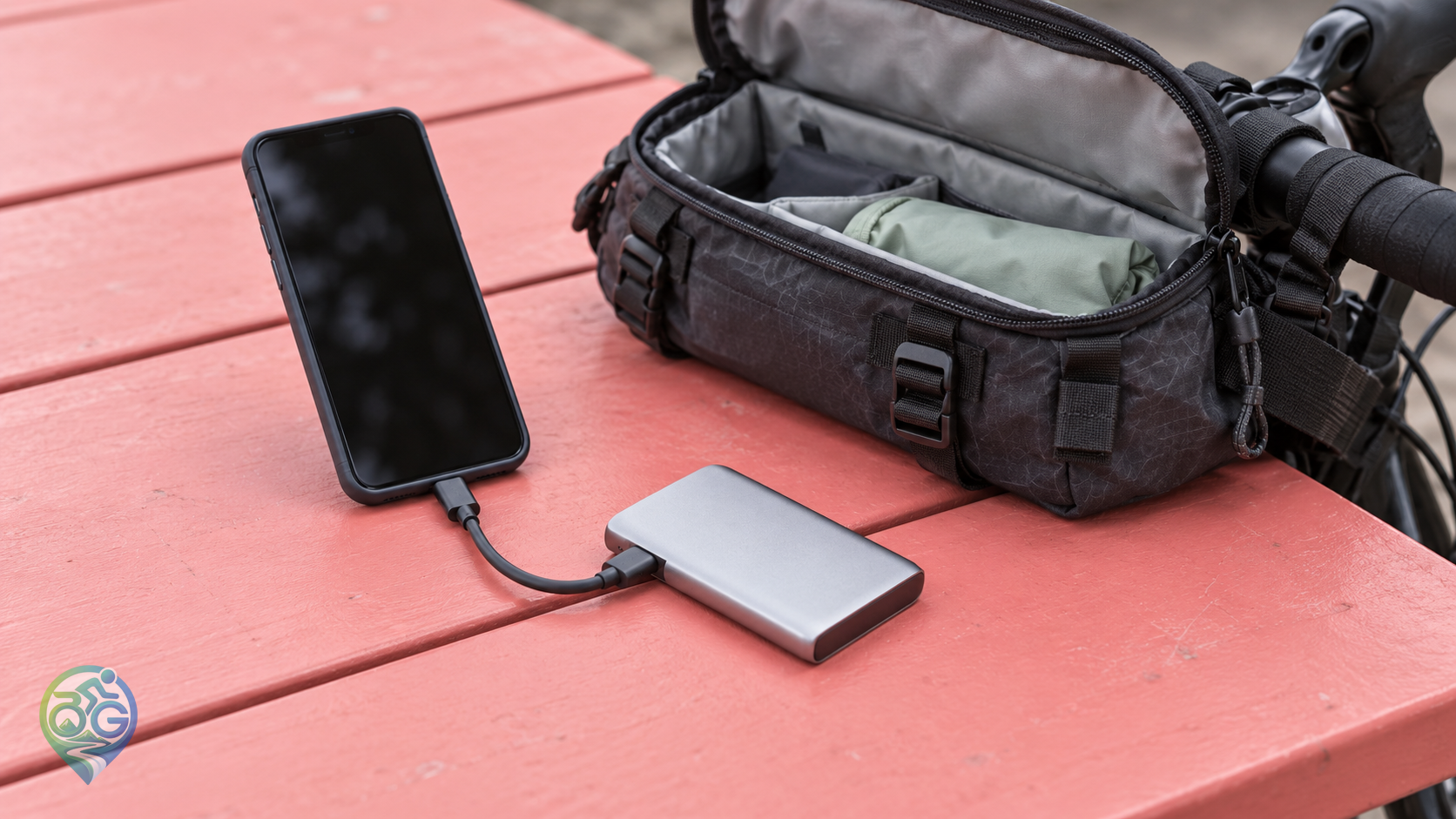
A second folder on the same phone disappears with the first if that phone is lost. For photo backup on a bike tour, decide where a separate copy will live before leaving reliable internet behind. The useful evening routine is small: identify today's originals, copy them to a destination you can name, then read files from that destination. A finished transfer window is only part of that routine.
Build an offline copy you can actually read
Use a dated destination folder for each day's photographs and clips. Add a short place name if it helps distinguish similar riding days. Keep the source files while checking the new copy. Choose the external device explicitly in the file browser, rather than assuming a folder with a familiar name belongs to the drive. Organising pictures inside the phone can be useful without adding a separate place to recover them from.
Rehearse the complete connection at home
Try the phone, data cable, adapter and storage together using expendable sample files. Confirm that the device appears, accepts the copy and lets you read it back. Google's Files guidance describes accessing USB storage and managing its files on supported Android devices. Your particular combination still needs checking; a matching connector alone does not demonstrate a working transfer. Do not solve a compatibility surprise by formatting a drive that holds the only copies of earlier days.
Include that short cable and any required adapter in your bikepacking bag arrangement. A drive packed without the part that connects it to the phone is an unfinished plan. Once copying is complete and the equipment is put away, give the drive a protected place separate from the phone where practical. Two devices inside one small pouch remain exposed to losing that pouch together.
Choose which version belongs in the archive
Apple's iPhone export instructions describe selecting photographs in Photos and exporting unmodified originals to a connected storage device. For an edited image, that choice exports the original rather than the edited result. If keeping the finished edit matters too, account for it separately instead of assuming the two are interchangeable. Follow the current instructions for your interface rather than relying on a remembered menu label.
Consider whether the original is available locally before an offline section. Apple explains that iCloud Photos storage optimisation can leave smaller versions on the device while full-resolution originals remain in iCloud. Seeing a preview in the library does not establish that an original has reached your external drive. Practise the intended offline workflow with the actual files you want to retain.
After copying, reopen the folder on the destination itself. Check examples from the beginning and end of the selected day and play part of a video beyond its first frame. Compare the selected date range, file count and sizes for obvious omissions. These are useful checks, not a guarantee that every byte is intact. Keep the source when anything is uncertain, and recopy the affected material while it is still available.
Give cloud uploads their own completion check
When a suitable connection returns, review the upload account and selected folders before leaving the phone to work. Google Photos distinguishes preparing, backing up and backup complete. Its individual-photo details also provide backup information; pictures being visible in the app is not enough to establish that those pictures reached the account. Avoid guessing from a thumbnail symbol whose meaning may depend on the current app state.
Keep a brief note of the last day checked on the external copy and the last day confirmed in the cloud. A transfer interrupted at breakfast should remain a visible unfinished task rather than becoming an assumed success by lunchtime. If the evening connection is unreliable, retain the offline copy and the source while arranging the next upload opportunity.
Make time for this when choosing overnight accommodation. A stable place to put the equipment and confirmed access to a socket can be more useful than an untested promise of fast Wi-Fi. Leave room for copying in your touring power plan alongside navigation and communication. No universal battery allowance or upload duration fits every day's media.
Before clearing space, check what the delete command will affect. Apple states that deleting an item through iCloud Photos also deletes it across devices using that library. An iPad showing the same synchronised library therefore does not provide an independent archive against that deletion. Keep the separate archive intact while deciding which local files can be removed.

Discussion & Comments 0
Share your thoughts, gear experiences or ask questions about this guide.
No comments yet.
Be the first to share your thoughts!
Join the Discussion
Log in with your Bisikletli Gezgin mobile account to participate in discussions and track your contributions.